> ASR ROOM

Selasa, 22 Oktober 2013

Software Untuk Membuat Tema Windows 7


Posting kali ini untuk kamu yang sedang ingin berkreasi dengan desktop atau tampilan windows 7 kamu, eh.. bukan hanya tampilan desktop,
sampe ke dalam-dalam nya juga bisa berubah. Nah ini saya ada software untuk membuat thema windows 7 kamu sendiri, oke langsung saja simak berikut ini.. Cara Membuat Tema Windows 7 Sendiri ..


Cara Membuat Tema Windows 7 Sendiri [Software]

Pertama, download software yang dibutuhkan.. silakan download software disini

Berikut cara instalnya :
1. extract file hasil download di atas, lalu jalankan file ave15_setup.exe..

2. setelah install selesai, Copy 2 file yang ada di folder Crack (launch_vsb.exe dan VistaStyleBuilder.exe) ke folder instalasi (C:\Program Files\AveApps\Windows Style Builder)
catatan: Pilih OverWrite ya..


3. jalankan file "launch_vsb.exe", jangan yang "VistaStyleBuilder.exe"..
tips: buat shortcut launch_vsb.exe ke desktop..

Nah sekarang tinggal jalankan...
1. jalankan aplikasinya, klik open, lalu pilih Start a New Visual Style untuk Membuat Tema Windows 7.

Cara Membuat Tema Windows 7 Sendiri [Software]

2. di situ akan muncul Theme Windows 7 Asli yang siap untuk kamu modifikasi..
3. silakan buat bentuk sesuai selera kamu untuk komponen Windows yang lainnya..

Nah, semoga bermanfaat, dam selamat mencoba :)

Download Template Blog ChromeGT (Red Skin)

Template name : ChromeGT (Red Skin)

Platform: Blogger / Blogspot

Template features : Wordpress Look, 2 Columns, 4 Columns Footer, Right Sidebar, Modern, Featured Content Slider, Fixed Width, Dark Background, Top Navigation Menu, Page Navigation Widget.

Author :  www.soratemplates.com

Designer :  temashdesignlab

License : Creative Commons Attribution 3.0

Instructions : ChromeGT Blogger Template


DemoDownload

21 fresh cursor packs for Windows XP and 7

How to change Windows mouse cursor

Most cursor packs you will find here comes with an .INF file. Right click on each of the .INF files and select "Install".
Now open Control Panel and double click on Mouse Properties. Click on the Pointers tab and choose the installed cursor pack from the dropdown list under �Scheme�. Select one and click Apply. Windows 7 and Vista users can type �mouse pointers� in the search box to automatically open the Mouse pointers settings.
mouse-properties1 

If the downloaded cursor doesn�t contain the .INF file, ignore the first step and directly open Mouse Pointers settings in Control Panel. Click on Browse and locate the cursor files (.cur and .ani) you just downloaded. Select one to apply.


mouse-properties2

Glass Cursors
Glass_Cursors

Xeonyx Cursors
Xeonyx_Cursors

Aero Premium Cursors
Aero_Premium_Cursors

Cursors by ~anoop-pc
cursors_by_anoop_pc

Denial Cursor Pack
Denial_Cursor_Pack

Fresh Cursors
Fresh_Cursors

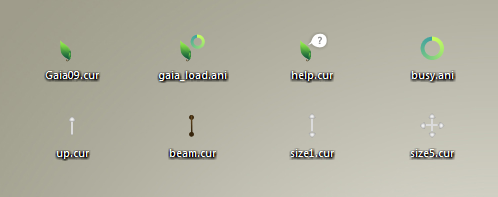
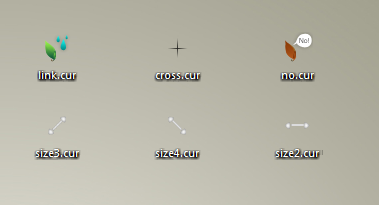
Gaia09 Cursors - Update 2
Gaia09_Cursors  Gaia09_Cursors

Graphite cursors
Graphite_cursors 

OS X White Cursors
OS_X_White_Cursors

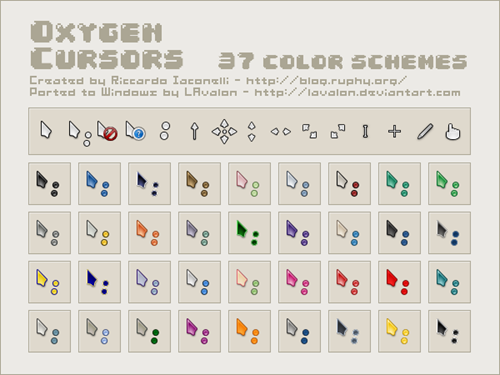
Oxygen Cursors
Oxygen_Cursors

Polar Cursor Set
Polar_Cursor_Set

Semi-transparent Cursors
Semi_transparent_Cursors

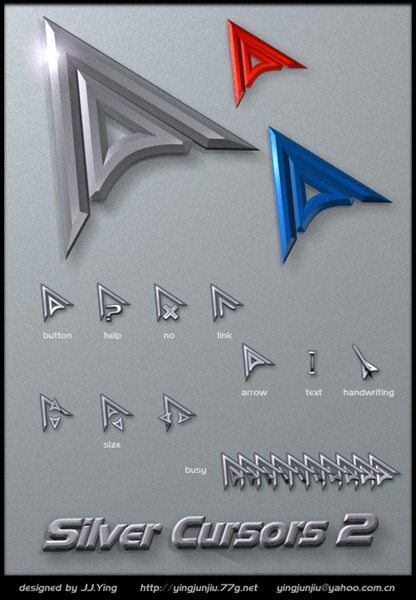
Silver Cursors 2
Silver_Cursors_2

The Glass Pack
the_Glass_Pack

White Roundling Cursors 2
White_Roundling_Cursors_2

Wii Cursors v1.0


Wii_Cursors

X-SKH cursors
X_SKH_cursors 

Windows 7 Remixed Cursors
Windows_7_Remixed_Cursors

MoonShine_v3
MoonShine_v3

Electron cursors
electron_cursors

Knife cursor
Knife_cursor

Software Netcut Defender 2.1.4 Berguna untuk Menjaga PC Dari Serangan Netcut


Netcut Defender adalah Software yang mampu melindungi komputer anda dari blok ARP spoofing baik dari netcut, maupun aplikasi lain yang cara kerjanya sama.
Fitur Netcut Defender :Menjaga laptop/komputer anda dari serangan ARP spoofing.
Menjamin koneksi kelancaran koneksi internet anda saat menggunakan wifi.
Proses instalasi mudah dan tidak memerlukan pengaturan yang sulit.
Netcut Defender berjalan otomatis pada saat startup, dan untuk mengaksesnya cukup klik dua kali pada tray icon di pojok kanan bawah layar komputer anda.
File Size: 1.72 MB
Publisher: Arcai
OS Support: Windows 2000/XP/2003/Vista/7

BBM Untuk Android Sudah diluncurkan Kembali Dini Hari Tadi

BBM adalah app pesan instan terpopuler dikalangan user BlackBerry, kini BBM hadir dengan BBM lintas platfrom dan dapat berjalan diperangkat android dan iOS. BBM untuk android sendiri dapat diinstall dan berjalan dengan baik pada perangkat android dengan OS 4.0 keatas. kabar baiknya dini hari tadi sekitar jam 2.00 WIB, BBM untuk android resmi di luncurkan kembali setelah sebelumnya pernah diluncurkan dan ditarik kembali karena ketidak mampuan server dari BBm untuk menampung user android dan iOs yang meledak. 

BBM features :
  Chat with friends on Android, BlackBerry and iPhone:
� BBM is always on and always connected � no app to open
� Know when messages have been delivered (D�s) and read (R�s)
� Share photos, files, documents, voice notes and more 
� See when contacts are responding to your message
� Emoticons for every mood and emotion let you express yourself
BBM lets you protect your privacy. You control it:
� You chose how to share your information - BBM uses PINs instead of phone numbers or email addresses so that it's more private, and you always control who can contact you
� You chose your contacts � 2-way opt-in means you have control over who is able to message you
Chat and Share with many at once:
� Groups � BBM groups help you share pictures, lists, and appointments with group members. You can even be in a group with people who aren't part of your own BBM contact list.
� Multi-person chats � Invite multiple contacts to have a chat together.
� Broadcast messages � Send a message to multiple BBM contacts at one time.
Create your own BBM profile:
� Post a profile picture using images, pictures or even animated pictures (GIFs).
� Update your status to let people know what you�re up to or how you feel

ScreenShoot:


untuk mendapatkan BBM ini anda bisa mendownloadnya di playstore, namun jika sobat setia terminal android  lagi males buka playstore, tenang saja sob.. akan saya kasih link downloadnya kok!! 
Download : BBM for Android 1.0.0.7  (link mediafire) 

 
Design by Fajri Alhadi | Published by Template Dyto Share.us | Download Film Terbaru
Sisi Remaja Ebook Teknisi Komputer